|
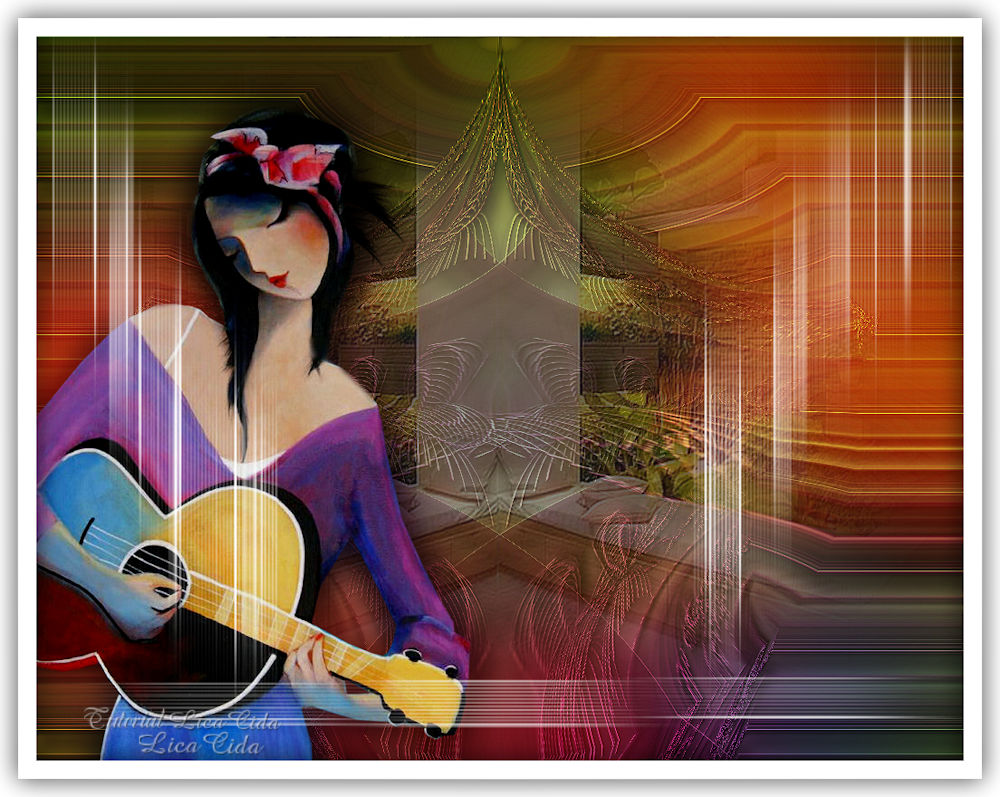
Desalinho
TRADUÇÕES

MATERIAL

Preset: Preset_Airbrush_3d --
Salvar na pasta Presets do PSP.
Tubes: 5392-luzcristina
5317-luzcristina
Back: coloridoAL
Deco: efeito airbrushu 3d
Marca-d'água.
Efeitos do PSP.
Versão usada: PSP X9.
PLUGINS
Plugin Andromeda → Designs
Plugin Transparency → Eliminate White
Plugin Alien Skin Eye Candy 5: Impact → Motion Trail
Plugin MuRa's Seamless → Emboss at Alpha
Plugin MuRa's Meister → Copies
TUTORIAL
|
Esta seta marca sua linha
Clique e arraste para movê-la
|
|
1_.
Abra uma nova imagem transparente de 1024 x 800 px.
Pinte com a cor #ffffff.
2_.
Plugin Andromeda → Designs.
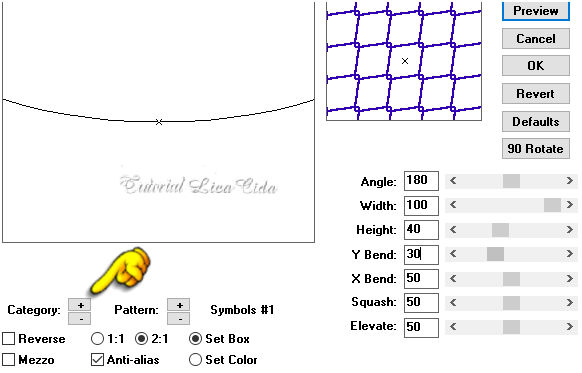
Image → Mirror → Mirror Vertical.
3_.
Plugin Transparency → Eliminate White.
4_.
Configure: Foreground: #190b16 — Background: #b54ca9.
Forme um gradiente: Style: Linear — Angle: 130 — Repeats: 3 — Invert marcado.
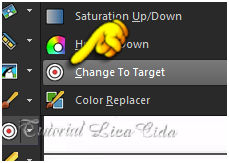
Colorize o efeito com o gradiente formado, usando a ferramenta Change to Target — Size: 200.
Effects → 3D Effects → Drop Shadow: 16 / 6 / 60 / 20,00 — Color: #000000.
Ative a régua (View → Rulers).
5_.
Image → Rotate Right.
Image → Mirror → Mirror Horizontal.
6_.
Com a ferramenta Pick Tool, suba o efeito até 300 px.
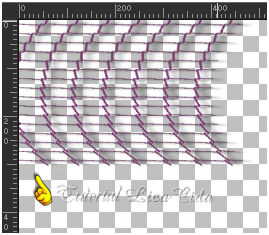
Layers → Duplicate.
Image → Mirror → Mirror Horizontal.
Layers → Merge → Merge Down.
Desative a régua (View → Rulers).
7_.
Ative a ferramenta Mesh Warp.

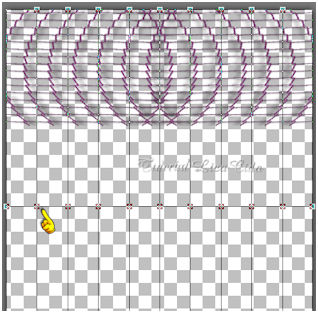
Comece como mostro no modelo (segundo nó): pule sempre um nó, até chegar a suspender o último nó.
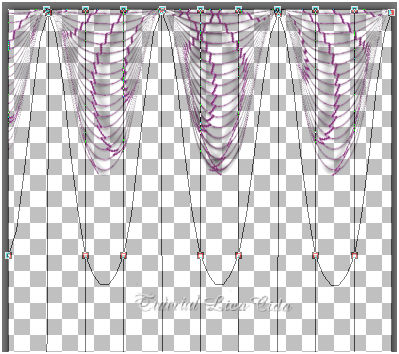
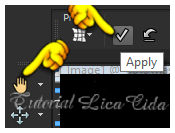
Clique em Apply.
Desative a ferramenta (ou clique em outra ferramenta).
8_.
Plugin Alien Skin Eye Candy 5: Impact → Motion Trail.
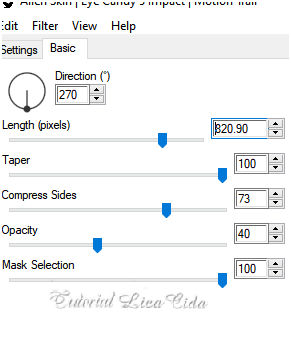
Layers → Duplicate.
Image → Mirror → Mirror Vertical.
Layers → Merge → Merge Down.
Image → Rotate Left.
9_.
Effects → Geometric Effects → Circle — Repeat.
OBSERVAÇÃO
Poderá aparecer uma marca acima do efeito. Com a ferramenta Magic Wand — Tolerance: 10, clique como no modelo (bem acima) e pressione a tecla Delete. Repita ao lado.
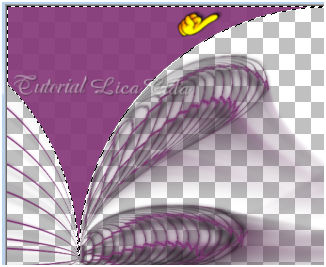
Selections → Select None.
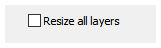
Image → Resize: 85% — Resize all layers desmarcado.
10_.
Effects → Distortion Effects → Polar Coordinates — Polar to rectangular.
Effects → 3D Effects → Drop Shadow: 16 / 6 / 60 / 20,00 — Color: #000000.
Plugin MuRa's Seamless → Emboss at Alpha — Default (aplique duas vezes).
11_.
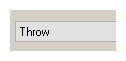
Plugin MuRa's Meister → Copies.
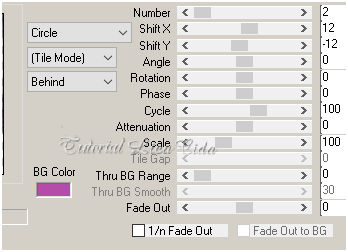
12_.
Layers → New Raster Layer.
Layers → Arrange → Move Down.
Selections → Select All.
Edit → Copy no coloridoAL
Edit → Paste Into Selection.
Selections → Select None.
Adjust → Sharpness → Sharpen More.
13_.
Layers → New Raster Layer.
Layers → Arrange → Send to Bottom.
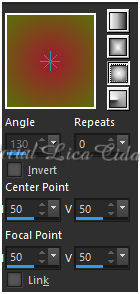
Escolha duas cores contrastantes no coloridoAL: #a01a30 (Foreground) e #59700a (Background), e forme um gradiente.
Configure: Style: Sunburst — Repeats: 0 — Invert desmarcado — Center Point: H: 50 / V: 50 — Focal Point: H: 50 / V: 50.
14_.
Ative a Raster 1.
Effects → Geometric Effects → Perspective - Horizontal — Distortion: 90 — Edge Mode: Wrap.
15_.
Effects → Geometric Effects → Pentagon — Edge Mode: Repeat.
16_.
Effects → Geometric Effects → Spherize — Strength: -100 — Shape: Circle.
Layers → Duplicate.
Image → Mirror → Mirror Horizontal.
Layers → Merge → Merge Down.
Effects → Edge Effects → Enhance.
Effects → 3D Effects → Drop Shadow: 16 / 6 / 60 / 20,00 — Color: #000000.
17_.
Layers → New Raster Layer.
Selections → Select All.
Edit → Copy no misted 5317-luzcristina
Edit → Paste Into Selection.
Selections → Select None.
Adjust → Sharpness → Sharpen More.
18_.
Edit → Copy no tube 5392-luzcristina
Edit → Paste As New Layer.
Posicione.
Adjust → Sharpness → Sharpen More.
Layers → Duplicate.
19_.
Na layer original (Raster 5):
Adjust → Blur → Gaussian Blur — Radius: 29,00.
Blend Mode: Multiply.
20_.
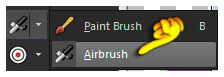
Ative a ferramenta Airbrush e use no Background a cor #ffffff.
Procure o preset 3d e aplique na vertical com Rotation: 0 e na horizontal com Rotation: 90.
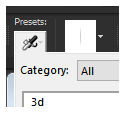
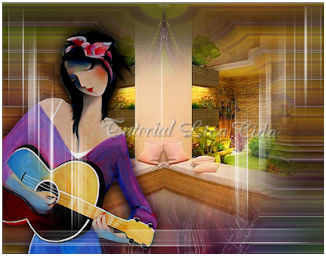
Veja o modelo. O efeito segue no material (efeito airbrushu 3d).
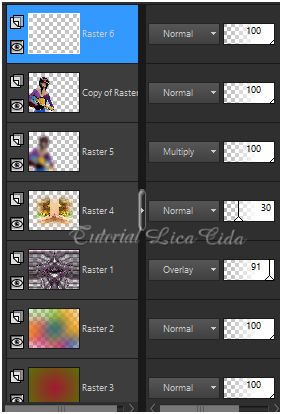
LAYERS
Altere os Blend Modes e a Opacity das layers (use a gosto).
21_.
Image → Add Borders: 40 px, Symmetric marcado — Color: #ffffff.
22_.
Selections → Select All.
Selections → Modify → Contract: 20 px.
23_.
Selections → Modify → Select Selection Borders.
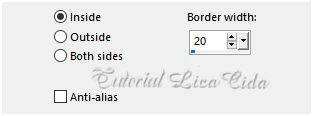
Effects → 3D Effects → Drop Shadow: 0 / 0 / 80 / 40,00 — Color: #000000.
Selections → Select None.
Image → Resize: Width 1000 px.
Aplique a marca-d'água.
Assine e salve.
Espero que gostem.
Aparecida / LicaCida, maio de 2020.
Rio de Janeiro - Brasil.

VOLTAR
Copyright ©2026 - Web Design - Naise Minas
|


