|
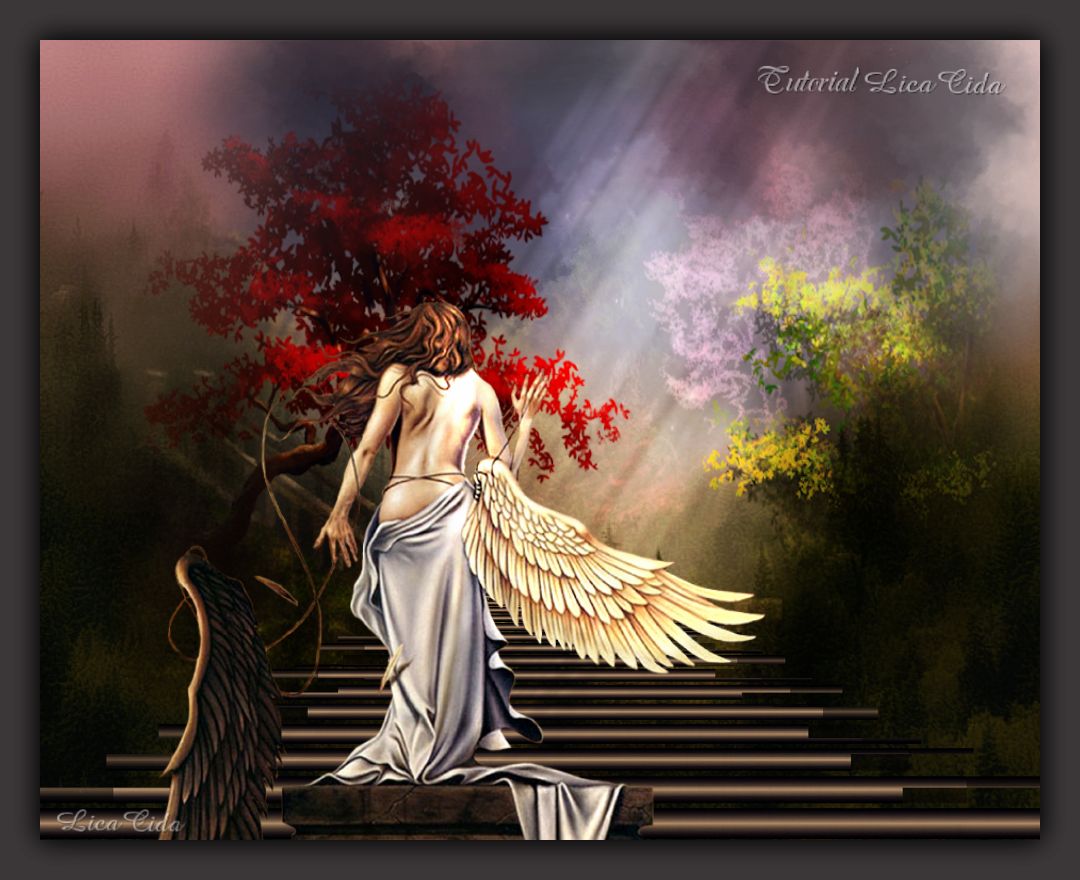
Little Angel
TRADUÇÕES

MATERIAL

Script: nuvenslc --
Salvar na pasta Scripts-Restricted do PSP.
Tubes: ms_fallen_small
pays-303-Azalee
Paisagem: Where_Trolls_Live_by_dajono
Elemento: backazullc
Brush: luzes
Marca-d'água.
Efeitos do PSP.
Versão usada: PSP X7.
PLUGINS
Plugin dsb flux → Linear Transmission
Plugin Nik Software → Color Efex Pro 3.0 → Bi-Color Filters
TUTORIAL
|
Esta seta marca sua linha
Clique e arraste para movê-la
|
|
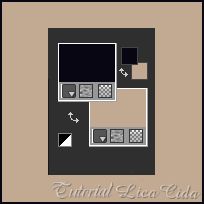
Configure as cores: Foreground: #0a0714 — Background: #9a8874.
1_.
Abra uma nova imagem transparente de 1000 x 800 px.
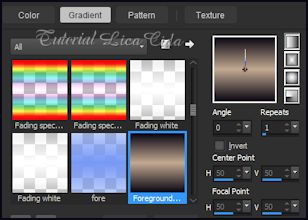
Pinte com o gradiente formado pelas cores acima.
Configure: Style: Linear — Angle: 0 — Repeats: 1 — Invert desmarcado.
2_.
Effects → Geometric Effects → Perspective - Horizontal: 95 — Transparent.
Repita com o valor negativo: -95 — Transparent.
3_.
Effects → Distortion Effects → Pinch — Strength: 100%.
4_.
Effects → Image Effects → Offset: H: 0 / V: -280 — Custom e Transparent marcados.
5_.
Effects → Reflection Effects → Feedback.
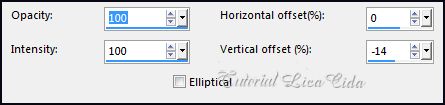
6_.
Plugin dsb flux → Linear Transmission.
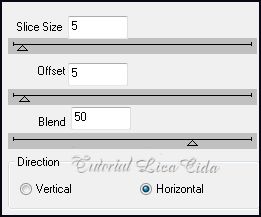
7_.
Effects → Distortion Effects → Pinch — Strength: 50%.
Objects → Align → Bottom.
8_.
Layers → New Raster Layer.
Selections → Select All.
Edit → Copy na paisagem Where_Trolls_Live_by_dajono
Edit → Paste Into Selection.
Use uma paisagem JPG que combine com o seu tube principal e com o tube paisagem; ela será o seu fundo.
Layers → Arrange → Move Down.
9_.
Layers → New Raster Layer.
Edit → Copy no backazullc
Edit → Paste Into Selection.
Selections → Select None.
(Use um gradiente linear 0 / 0; usei tons azuis, cores que combinam com o meu tutorial.)
Layers → Arrange → Send to Bottom.
10_.
Ative a Raster 2.
Layers → New Raster Layer.
Rode o script nuvenslc.
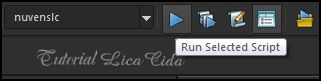
Procure o script nuvenslc e clique em Run Selected Script para rodá-lo.
11_.
Ative novamente a Raster 2.
Layers → Duplicate.
Plugin Nik Software → Color Efex Pro 3.0 → Bi-Color Filters — Color Set: Violet/Pink 3.
Altere os Blend Modes e a Opacity das layers.
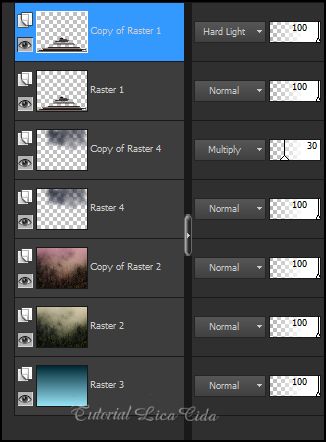
12_.
Ative a Copy of Raster 4 (layer duplicada das nuvens).
Edit → Copy no tube pays-303-Azalee
Edit → Paste As New Layer.
Posicione.
Blend Mode: Overlay.
13_.
Ative a layer superior (Copy of Raster 1).
Edit → Copy no tube ms_fallen_small
Edit → Paste As New Layer.
Posicione a gosto.
14_.
Edit → Copy no brush luzes
Edit → Paste As New Layer.
Blend Mode: Overlay — Opacity: 46%.
Faça o acabamento a gosto.
Aplique a marca-d'água.
Assine e salve.
Espero que gostem.
Aparecida / LicaCida, junho de 2015.
Rio de Janeiro - Brasil.

VOLTAR
Copyright ©2026 - Web Design - Naise Minas
|

