|
Possible TRADUÇÕES
MATERIAL
Script: clemence --
Tubes: 25_Femme_Page6_Animabelle
Mask: maskcameronF82
Decos: NN_deco_0134
Marca-d'água.
Versão usada: PSP X8.
PLUGINS
Plugin Mehdi → Sorting Tiles
TUTORIAL
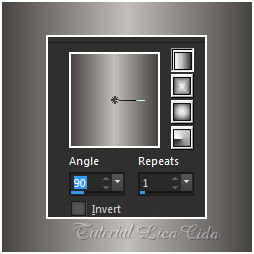
1_. Abra uma nova imagem transparente de 950 x 650 px. Pinte com o gradiente formado pelas cores #474341 e #c2bebc. Configure: Style: Linear — Angle: 90 — Repeats: 1 — Invert desmarcado.
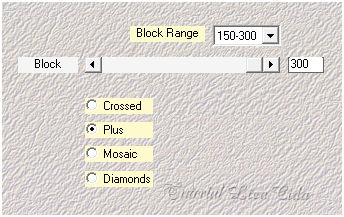
2_. Plugin Mehdi → Sorting Tiles.
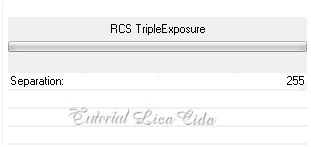
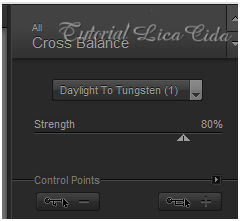
3_. Plugin Simple → Blintz. Repita o efeito. 4_. Plugin Simple → Top Left Mirror. 5_. Plugin Unlimited 2.0 → RCS Filter Pack 1.0.
Repita o efeito. 6_. Plugin Graphics Plus → Vertical Mirror.
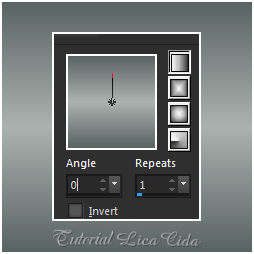
Repita: Plugin Simple → Top Left Mirror. Effects → User Defined Filter → Emboss_3. Repita o Emboss_3. 7_. Layers → New Raster Layer. Pinte com o gradiente formado pelas cores #596361 e #aab3b0. Configure: Style: Linear — Angle: 0 — Repeats: 1 — Invert desmarcado.
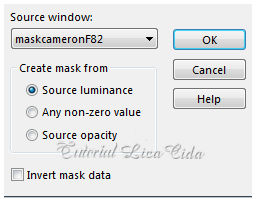
Layers → New Mask Layer → From Image: maskcameronF82.
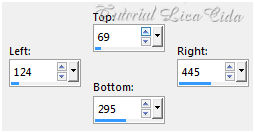
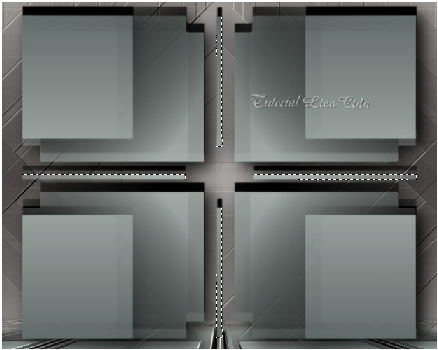
Layers → Merge → Merge Group. Effects → 3D Effects → Drop Shadow: -16 / 1 / 100 / 2,00 — Color: #000000. Plugin Alien Skin Eye Candy 5: Impact → Perspective Shadow — Blurry. 8_. Ative a ferramenta Selection Tool (tecla S) → Custom Selection.
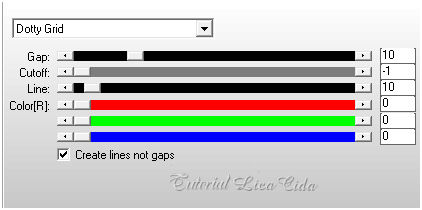
Selections → Promote Selection to Layer. 9_. Plugin AP [Lines] → Lines - Silver Lining.
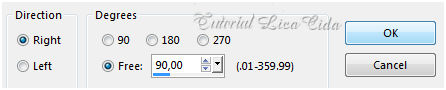
Effects → Edge Effects → Enhance. Selections → Select None. Repita: Plugin Simple → Top Left Mirror. Retire a visibilidade dessa layer. 10_. Duplique a layer abaixo (Group - Raster 2). Image → Free Rotate.
Plugin MuRa's Meister → Perspective Tiling — Height: 20 — demais valores Default. Com a ferramenta Magic Wand — Feather: 60, clique na parte transparente. Pressione a tecla Delete (três ou quatro vezes, para suavizar o efeito). Selections → Select None. Effects → User Defined Filter → Emboss_3. Layers → Arrange → Move Down. 11_. Ative a layer Group - Raster 2. Com a ferramenta Magic Wand (Default), selecione os riscos que a mask apresenta.
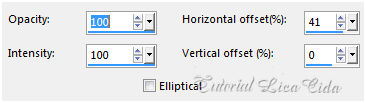
Layers → New Raster Layer. Pinte com a cor #ffffff. Selections → Select None. Layers → Arrange → Bring to Top. 12_. Effects → Reflection Effects → Feedback.
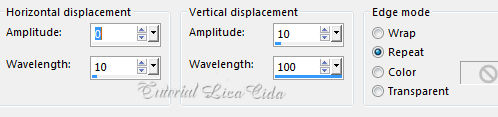
13_. Effects → Distortion Effects → Wave.
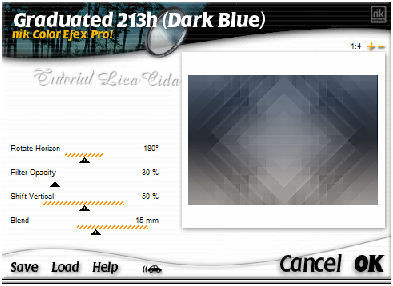
Layers → Duplicate. Image → Mirror → Mirror Horizontal. Layers → Merge → Merge Down. Ative novamente a visibilidade da layer Promoted Selection. 14_. Ative a Raster 1. Plugin Nik Color Efex Pro! 1.0.
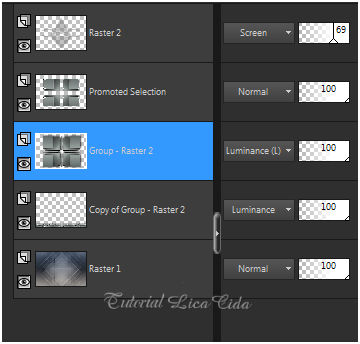
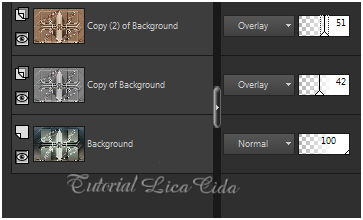
15_. Ative novamente a layer Group - Raster 2. Image → Mirror → Mirror Vertical. Altere os Blend Modes e a Opacity das layers.
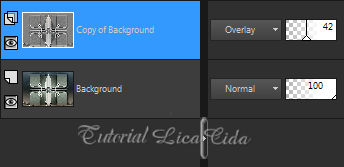
16_. Ative a Promoted Selection. Edit → Copy no NN_deco_0134 Edit → Paste As New Layer. Blend Mode: Screen — Opacity: 83%. Layers → Merge → Merge All (Flatten). Plugin AAA Filters → Custom — Landscape. Layers → Duplicate. 17_. Effects → Edge Effects → High Pass — Radius: 10,00.
Layers → Duplicate. 18_. Plugin Nik Software → Color Efex Pro 3.0 → Bi-Color Filters.
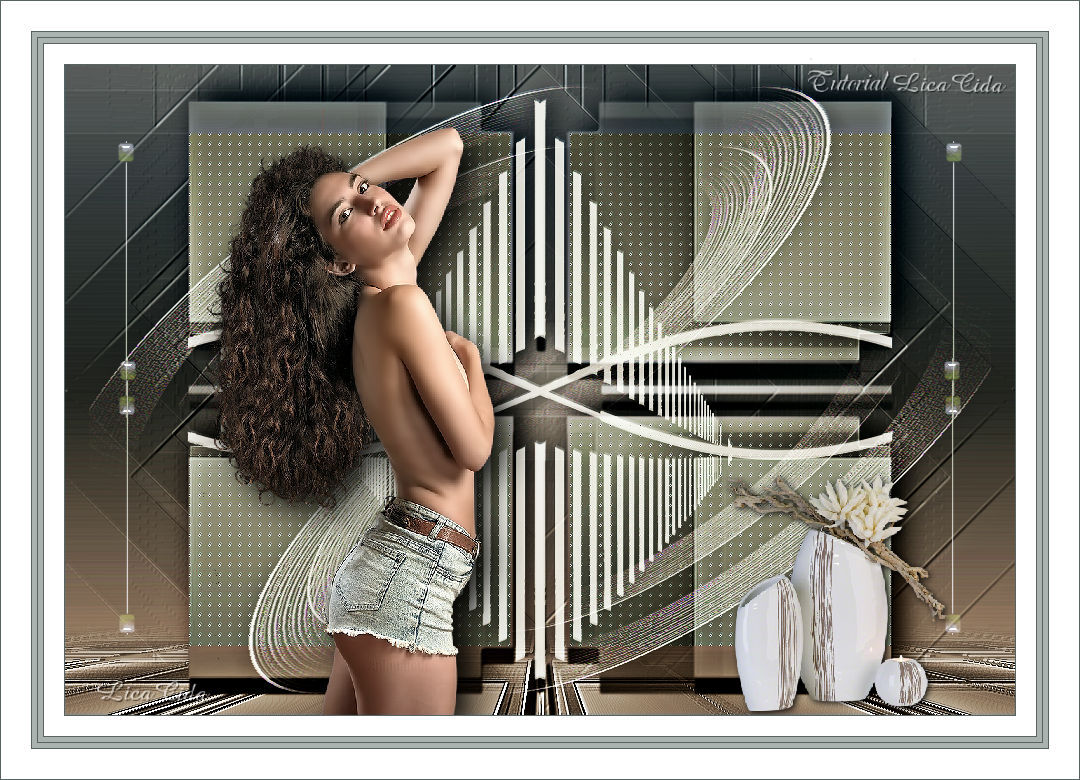
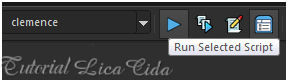
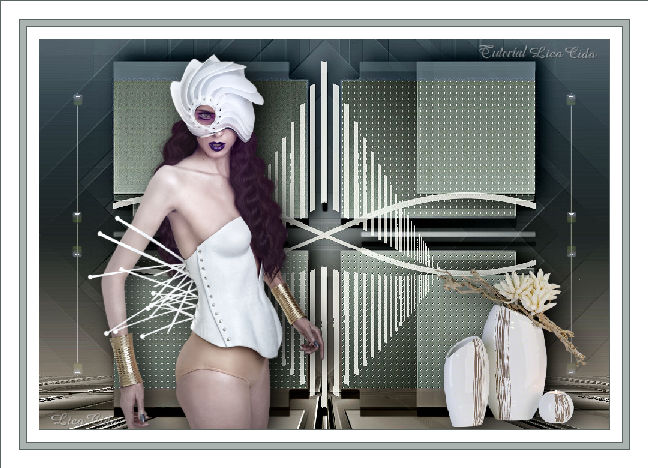
19_. Edit → Copy no tube 25_Femme_Page6_Animabelle Edit → Paste As New Layer. Image → Resize: 70% — Resize all layers desmarcado. Posicione. Plugin Alien Skin Eye Candy 5: Impact → Perspective Shadow — Blurry. 20_. Edit → Copy no Deco3EllyCreaties1532016 Edit → Paste As New Layer. Use a gosto. 21_. Edit → Copy no tube SvB Moderne vazen Edit → Paste As New Layer. Posicione e redimensione a gosto. Plugin Alien Skin Eye Candy 5: Impact → Perspective Shadow — Lowest. 22_. Rode o script clemence.
Procure o script clemence e clique em Run Selected Script para rodá-lo. Use cores a gosto. Usei: 1 — #596361 / 20 e 30 — #ffffff / 5 — #aab3b0. Aplique a marca-d'água. Assine e salve. Espero que gostem.
Aparecida / LicaCida, janeiro de 2017.
OUTRO MODELO
Copyright ©2026 - Web Design - Naise Minas |