This tutorial was created by me and any resemblance is purely coincidental.

Thanks to all translators.

Thanks to Liriani Silva for testing my tutorials.


Materials:

Tube / mask Narah - thanks / title

Plugins:

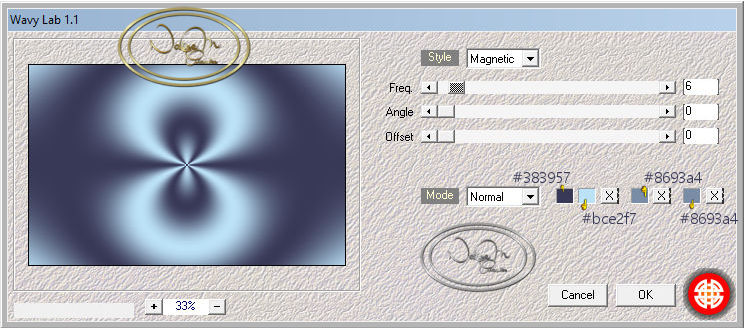
Mehdi - Wavy Lab 1.1

Preparation: Place #b2defb in the Foreground and #424856 in the Background.

1. Transparent 1000 x 650 pixel.
2. Apply the Medhi - Wavy Lab 1.1 plugin.

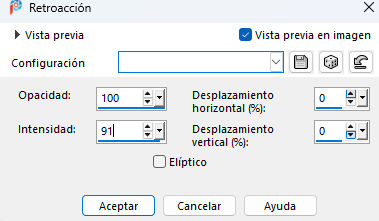
3. Effects - Reflections Effects - Feedback.


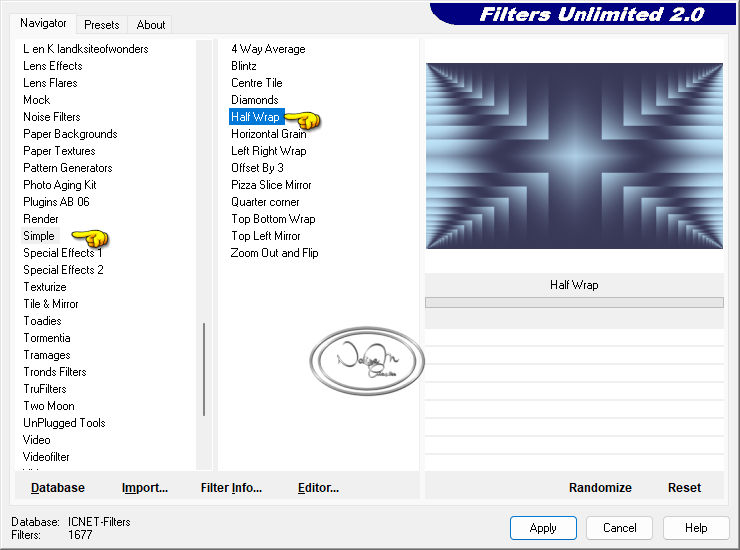
4. Filter Unlimited - Simple - Half Wrap.

5. Copy and Edit Paste a New Layer
You will use it later
6. Go back to your work
Duplicate

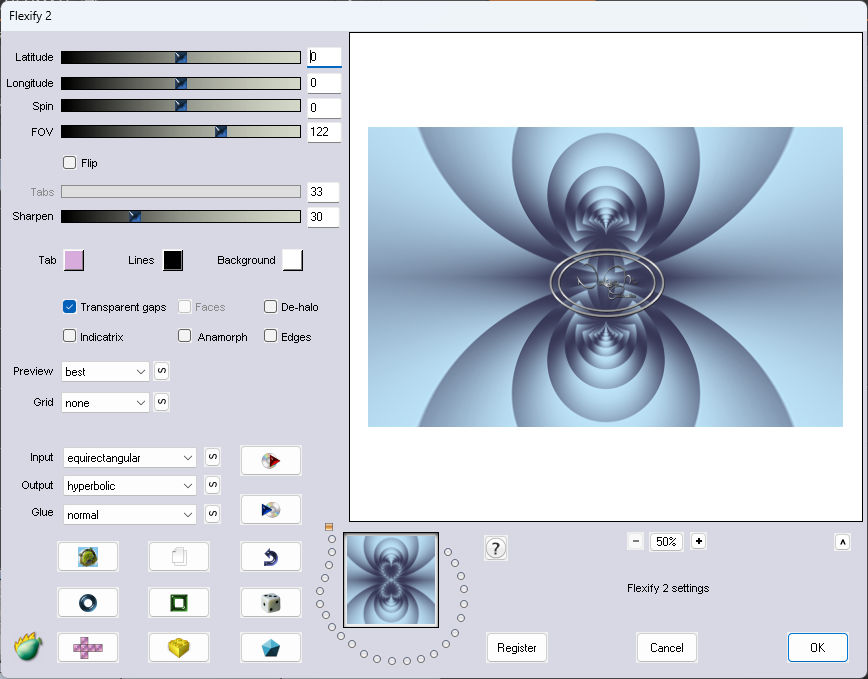
7. Plugins - Flaming Pear - Flexify 2

11. 3D - Drop Shadow 1,1,100,1,00 color #242851
12. Click on the Background
With the Magic Wand tool, Tolerance 0 and Feather 0
Select the border 40
13. Edit Copy the saved image
And paste into this border 40
Selections Select None
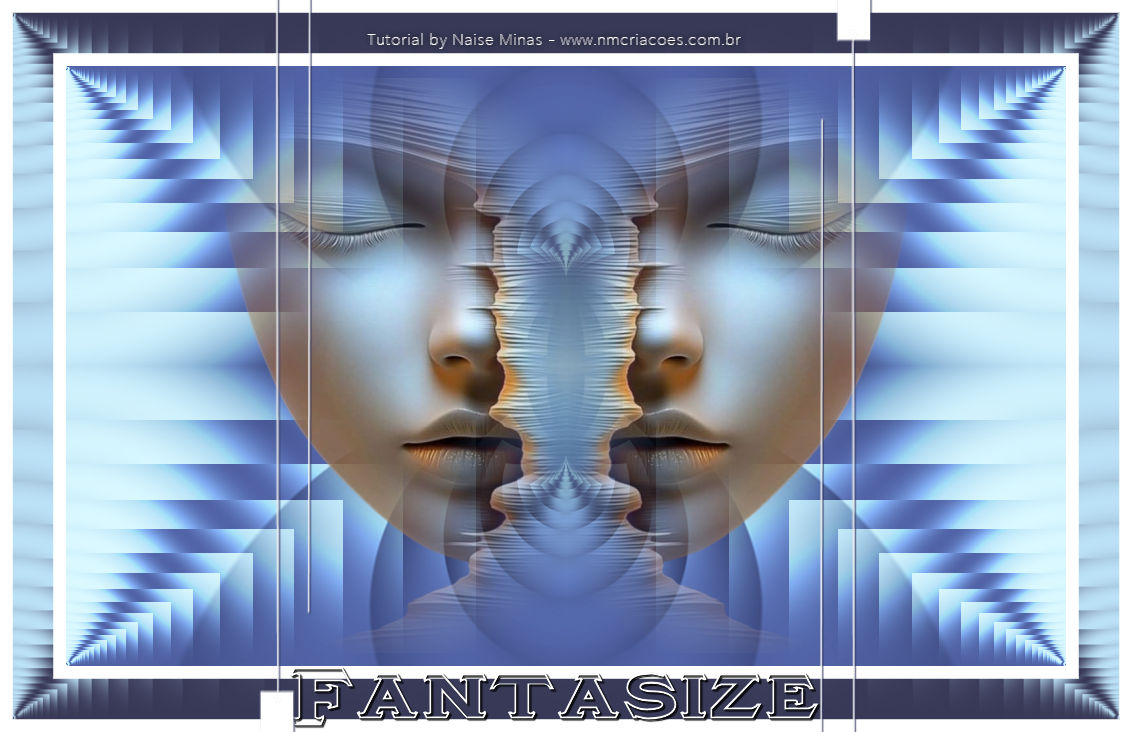
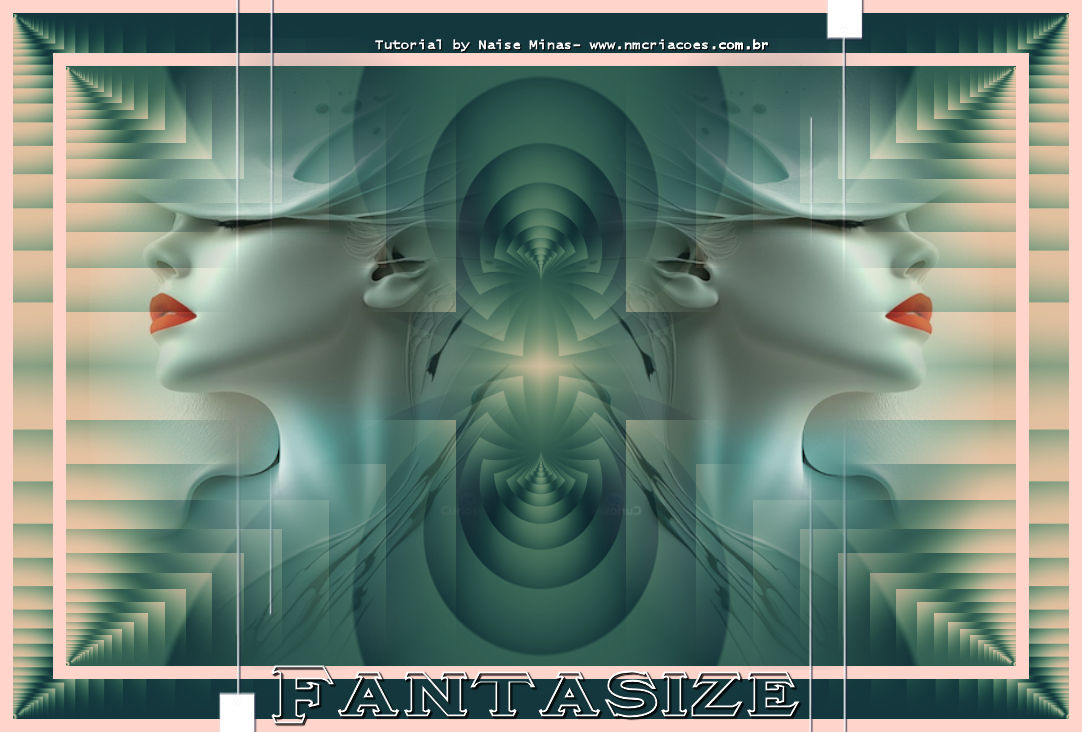
14. Open your tube - Edit Copy - Paste As New Layer
With the Pic Tool X:509 Y:78
Duplicate
15. Image - Mirror Horizontal
Layer Merge Down
16. Open your title - Edit copy - Paste as New layer
With the Pic Tool X:290 Y:667
18. Sign
19. Export as JPG

ANOTHER MODEL
I changed the border tones


08-01-26