|
 |
Use the arrow to mark your line
Click with the mouse to move it
|
1_. Open a new transparent image of 600 x 600 px.
2_. Fill with a Linear gradient: Angle: 0 / Repeats: 0.
3_. Apply the mask sg_scattered-boxes.
Layers → Delete.
4_. Choose a flower tube: Edit → Copy.
5_. With the Magic Wand tool, select all the squares, as shown in the print below.
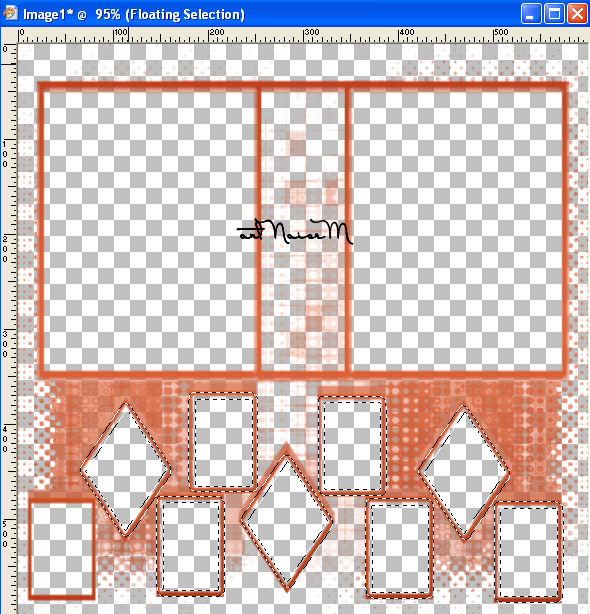
6_. Edit → Paste Into Selection.
Layers → Duplicate.
7_. Image → Mirror.
Apply Drop Shadow as you like. Mine was: Effects → 3D Effects → Drop Shadow: 2 / 2 / 80 / 3,00.
8_. Selections → Select None.
9_. Layers → New Raster Layer.
Fill with another gradient that you like and that matches your work - Linear: Angle: 0 / Repeats: 0.
10_. Apply the mask sg_hammered-silver-frame.
Layers → Delete.
11_. Apply Drop Shadow as you like. Mine was: Effects → 3D Effects → Drop Shadow: 2 / 2 / 80 / 3,00.
12_. Layers → Arrange → Move Down.
13_. Choose a flower tube, an image or a nature landscape: Edit → Copy.
14_. Layers → Merge → Merge Visible.
15_. Again with the Magic Wand tool, select all the rectangles and squares, as shown in the print below.
Edit → Paste Into Selection.
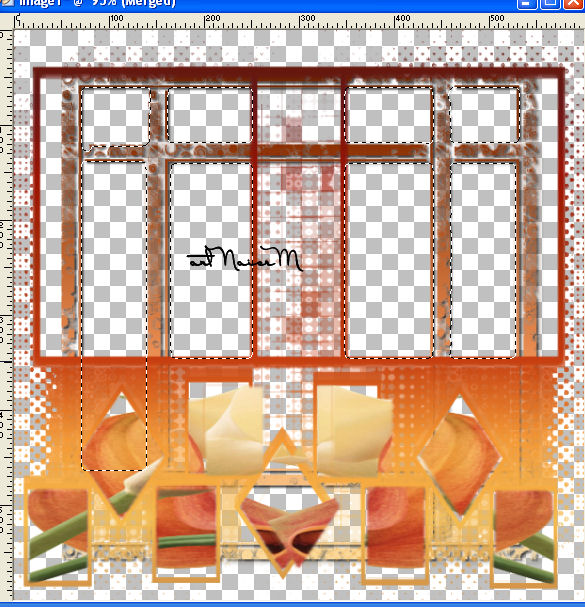
16_. Apply the tubes as you like.
17_. Image → Add Borders: 50 px with the color white.
With the Magic Wand tool, select the border.
18_. Fill with the same gradient as in step 2.
19_. Layers → New Raster Layer.
Fill with a solid color.
Layers → Arrange → Move Down.
20_. Optional:
Effects → Plugins → AAA Frames → Texture Frame, with the settings below. Apply this step only if you wish.
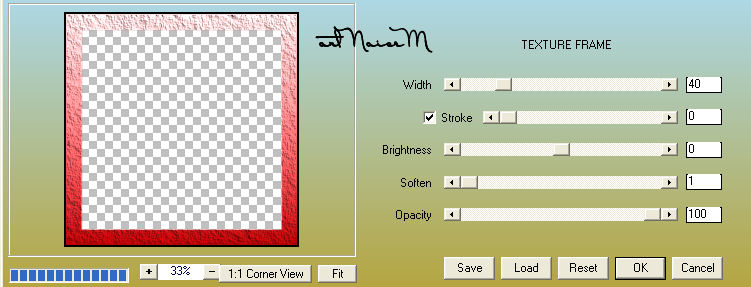
21_. Edit → Copy.
Select with the Magic Wand tool.
22_. Apply the pattern as shown in the print.
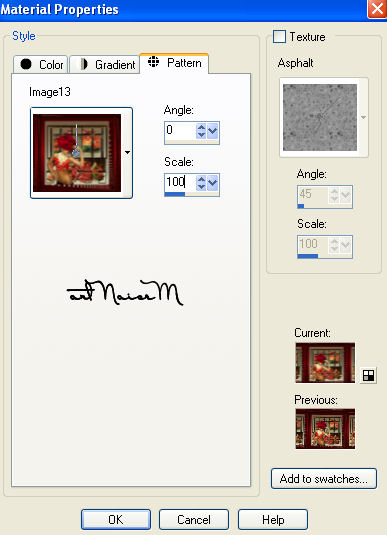
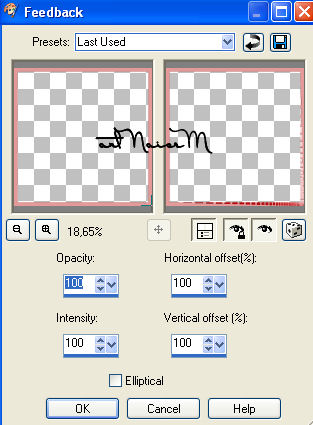
Note: the effect will not show as applied; it will only appear in step 23.
23_. Still selected, apply Effects → Reflection Effects → Feedback, with the settings below.
24_. Effects → 3D Effects → Drop Shadow: 5 / 5 / 80 / 3,00.
25_. Image → Add Borders: 20 px with the color white.
With the Magic Wand tool, select the border.
26_. Repeat steps 18 to 24.
27_. Still selected: Image → Flip and, again, Image → Mirror.
28_. Image → Add Borders: 2 px with a dark color.
29_. Sign your work.
30_. Save as JPG.
Another Example
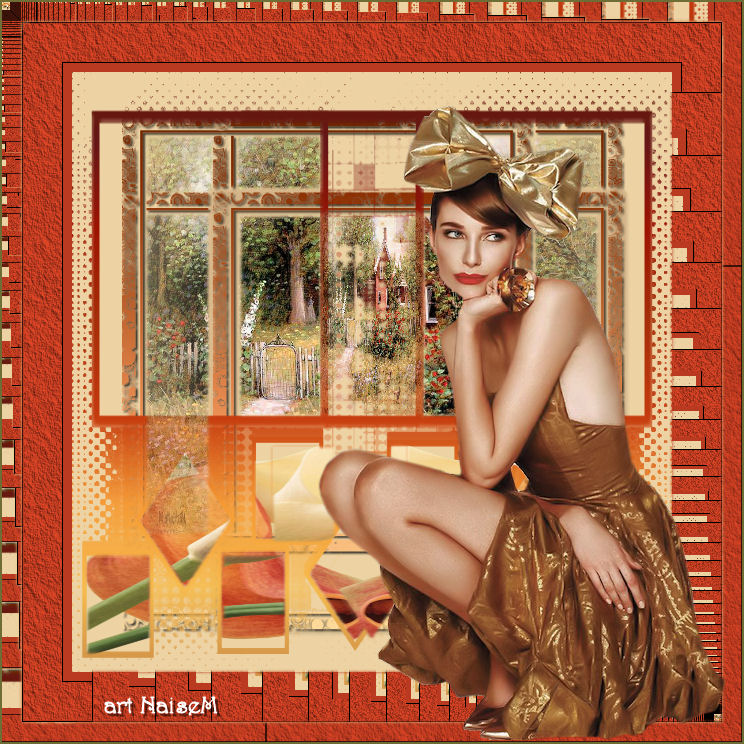
Tube: Ana Ridzi
Here, without the effect of the AAA Frame Texture plugin
Tubes: Verlaine / LoveLetter
Flowers: Luz Cristina
04/03/2015
|