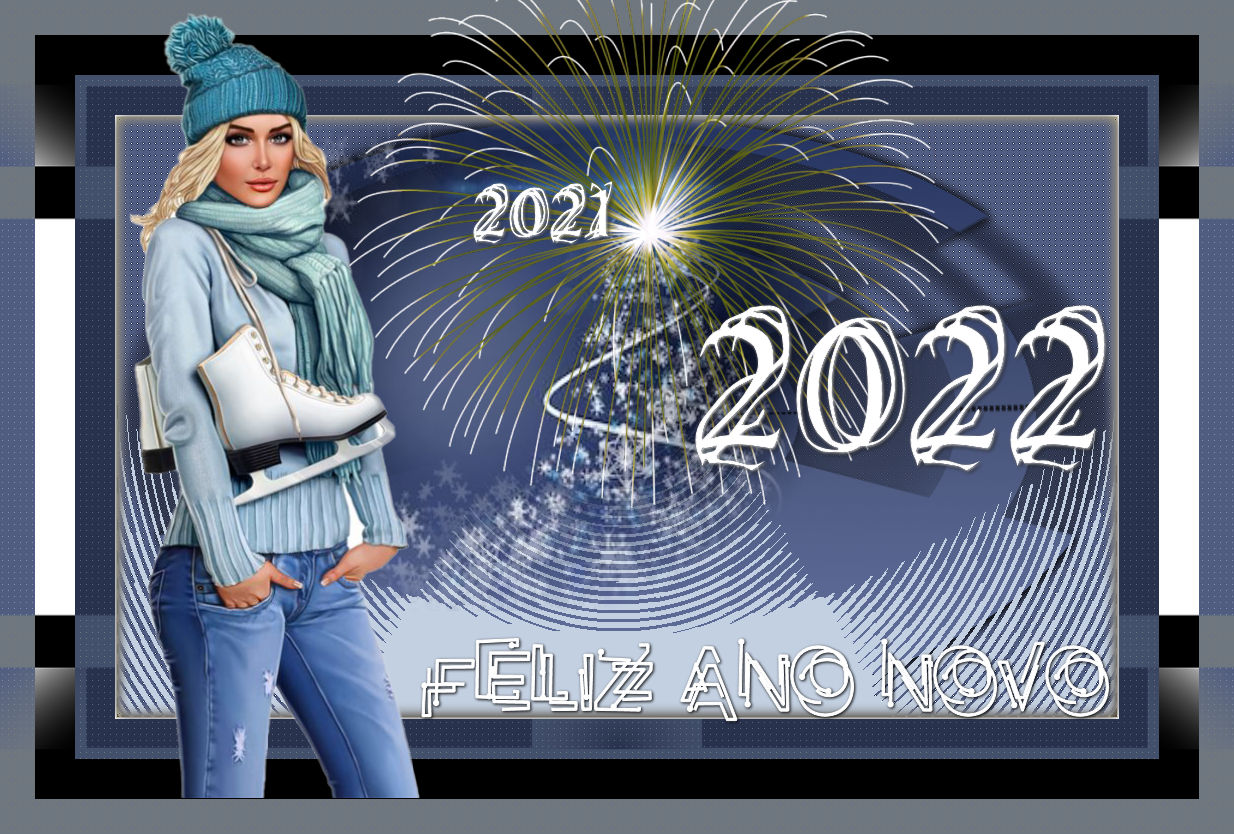
Materials
PSP used: 2022
Woman tube of my own creation
Misted tube of my own creation
Mask Narah - thank you
Deco of my own creation
Fireworks tube from PSP itself

Plug-ins
Caroline and Sensibility
Unlimited 2.0 - Bkg Designer sf10 I
Mura's Meister
 |
Use the arrow to mark your line
Click with the mouse to move it
|
1_. Open a new transparent image of 1000 x 600 px.
2_. Fill with a color of your choice.
3_. Apply the mask Masker Benice L115, with Invert Transparency checked.
Layers → Merge → Merge Group.
4_. Effects → Distortion Effects → Polar Coordinates, with the settings below.
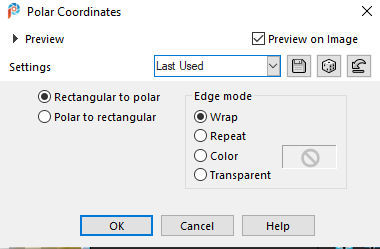
5_. Effects → 3D Effects → Drop Shadow: 3 / 3 / 100 / 12,03 - color #000000.
6_. Layers → New Raster Layer.
Fill with a lighter color, of your choice.
7_. Effects → Plugins → Mura's Meister → Perspective Tiling, with the settings below.
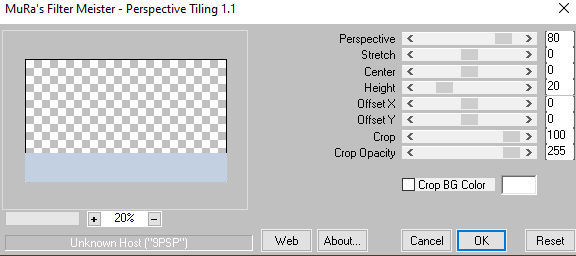
8_. Effects → Plugins → Filters Unlimited 2.0 → & → Circle Pede, with the settings below.
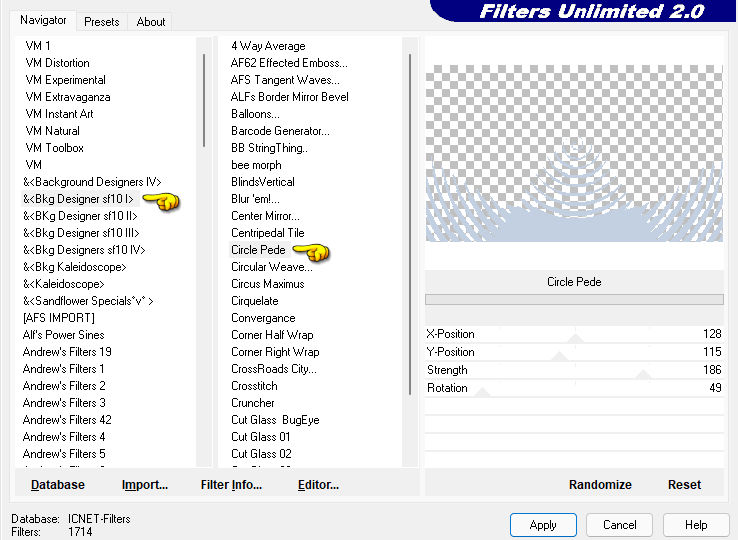
9_. Layers → New Raster Layer.
Fill with a darker solid color, of your choice.
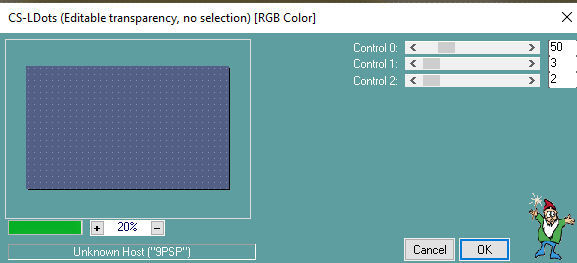
10_. Effects → Plugins → Caroline and Sensibility → CS-LDots, with the settings below.
11_. Layers → Arrange → Send to Bottom.
12_. Effects → User Defined Filter: Edge_Enhance.
13_. Activate the layer Group - Raster 1.
14_. Apply the plugin Nik Software → Color Efex Pro 3.0, with the effect of your choice.
I used the Graduated Filter.
15_. Open the misted: Edit → Copy.
16_. Edit → Paste As New Layer.
17_. Image → Add Borders → Symmetric checked:
1 px - very dark color
40 px - predominant color of the tag
40 px - another color of your tag
40 px - white color #ffffff
18_. With the Magic Wand tool, select these 3 bars.
19_. Selections → Promote Selection to Layer.
20_. Selections → Select None.
21_. Apply the mask Narah_Mask_1123.
Layers → Merge → Merge Group.
22_. Apply the plugin Caroline and Sensibility → CS-LDots again.
23_. Apply the same User Defined Filter.
24_. Layers → Properties → Blend Mode: Difference.
25_. Apply your tube.
26_. With the font Problematic Pierce, type: Happy New Year.
27_. It is up to you to add 2020 and 2021 - font used: Claos Time.
28_. With the Picture Tube tool, using the fireworks tube from PSP itself, I applied some fireworks. It is up to you.
29_. Sign your work.
30_. Save as JPG.
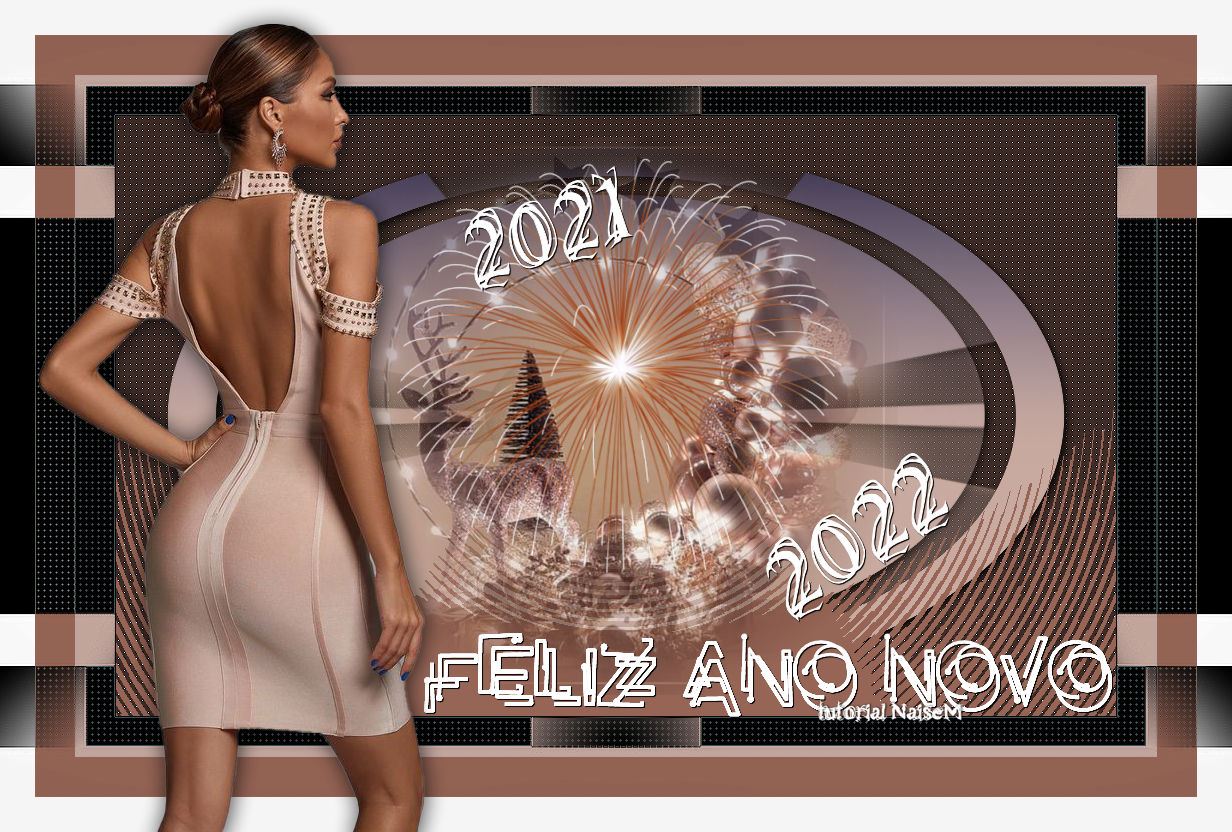
REVISED MODEL
16 10 2021