|
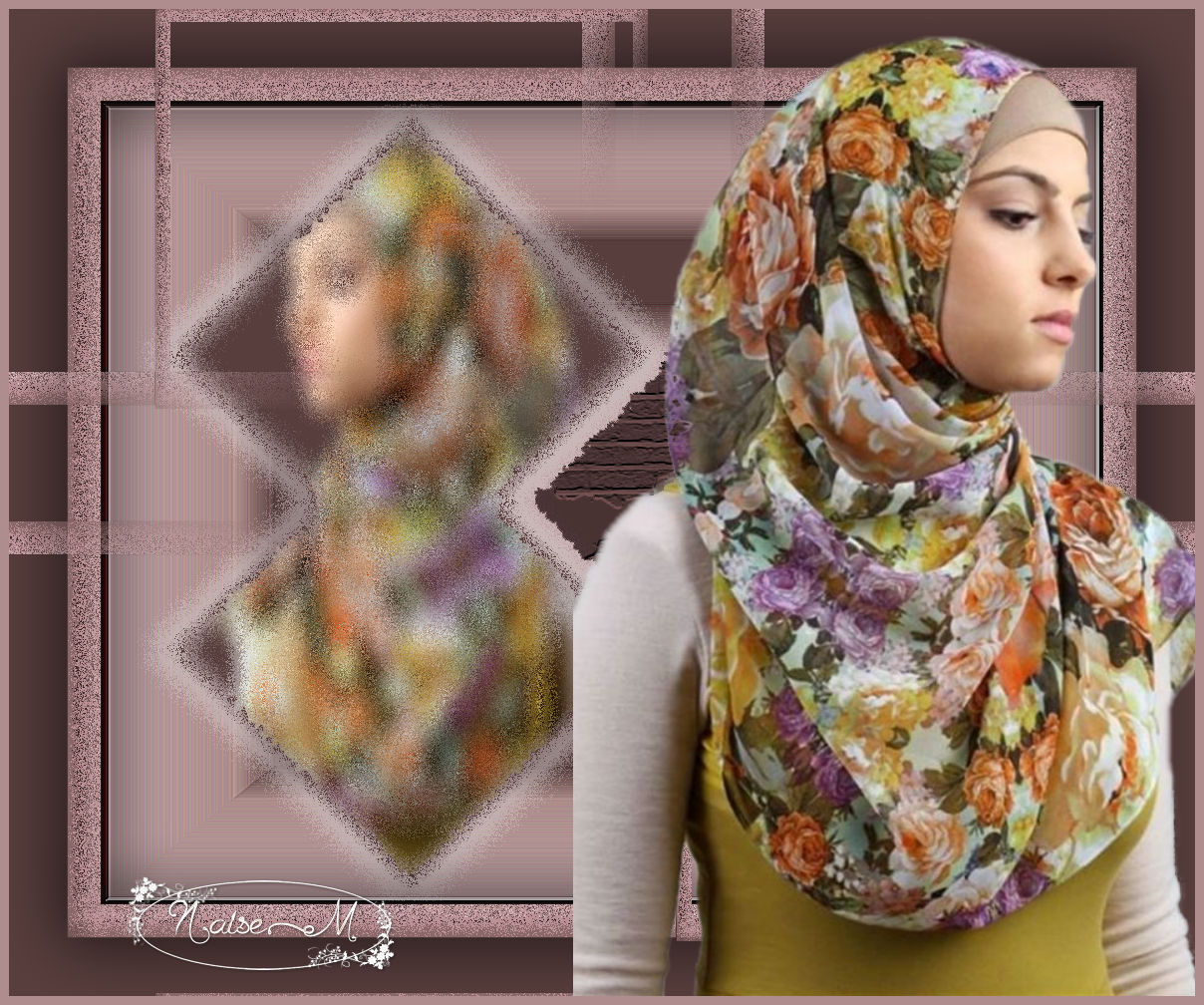
Blurry Mirror
PSP 2018
Also works in any other PSP
Materials
PSP tools
Texture
Selection: Blurry Mirror
Tube by NaiseM
Misted by NaiseM

Plug-in

Foreground
#bc9fa1
Background #583e3d
Instructions
 |
Use the arrow to mark your line
Click with the mouse to move it
|
1_. File → New: open a new image of 1000 x 800 px.
2_. Fill the image with a Rectangular gradient, with the settings below.
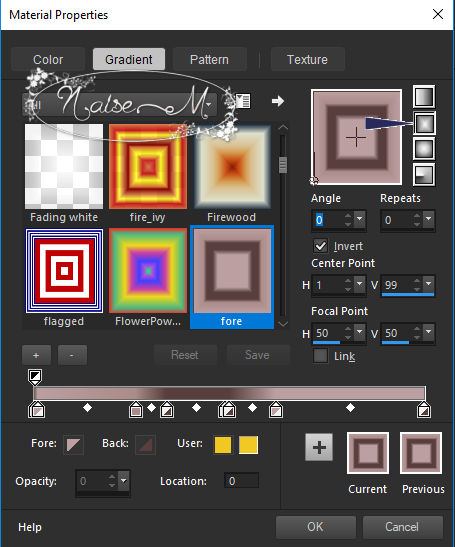
3_. Effects → User Defined Filter → Emboss 3.
4_. Effects → Edge Effects → Enhance More.
5_. Layers → New Raster Layer.
6_. Selections → Load/Save Selection → Load Selection From Disk: sel-blurrymirror.
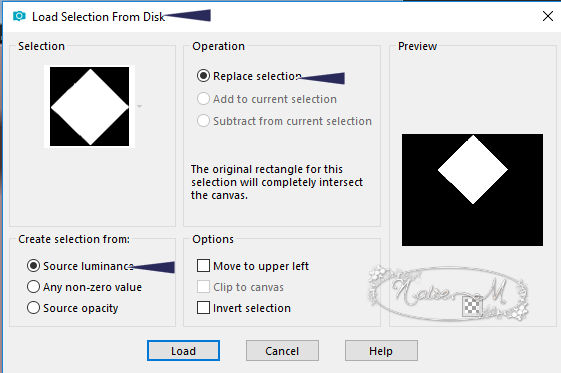
7_. Fill the selection with the color #583e3d.
8_. Selections → Select None.
9_. Layers → Duplicate.
10_. Image → Mirror → Mirror Vertical.
11_. Layers → Merge → Merge Down.
12_. Effects → Plugins → Filters Unlimited 2.0 → &<Bkg Designer sf10 I> → Blur 'em!, with the settings below.
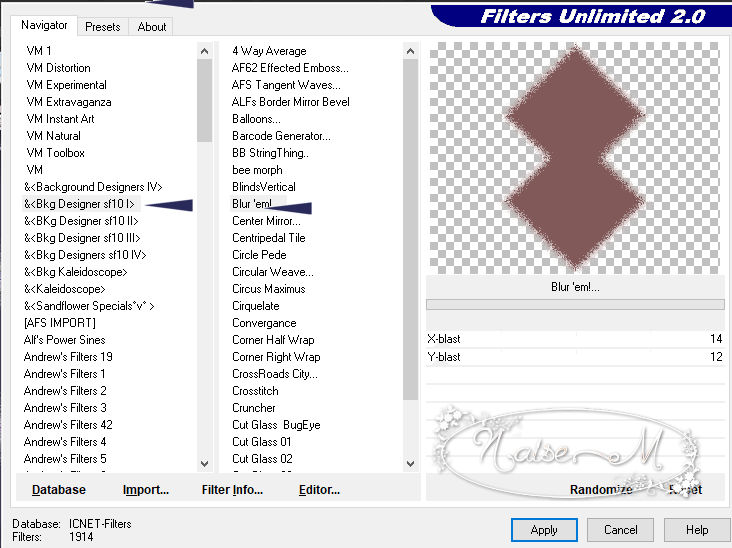
13_. Effects → Image Effects → Offset.
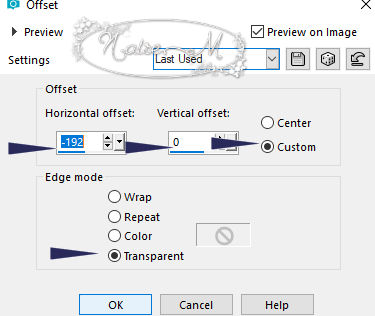
14_. Choose a tube → Edit → Copy.
15_. With the Magic Wand tool, select inside this image.
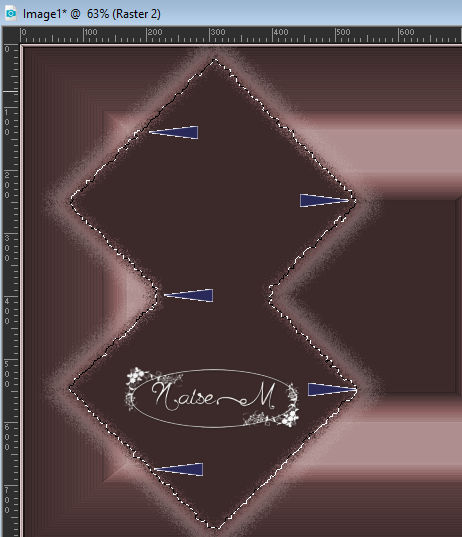
16_. Edit → Paste Into Selection.
17_. Apply the plugin Filters Unlimited 2.0 → &<Bkg Designer sf10 I> → Blur 'em! again.
18_. Selections → Select None.
19_. Layers → Merge → Merge Down.
20_. With the Magic Wand tool, select this part, as shown in the print.
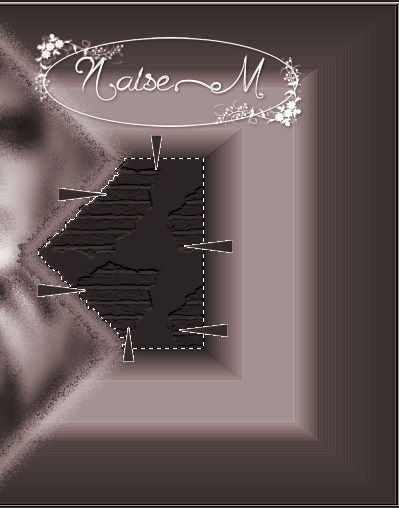
21_. Effects → Texture Effects → Texture: apply the texture from the material.
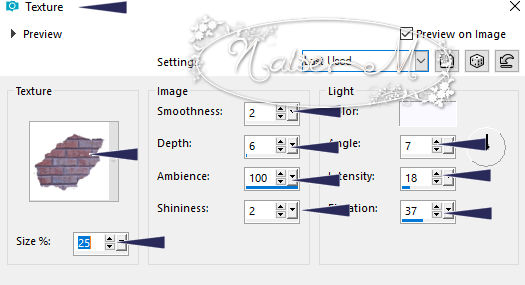
22_. Selections → Select None.
23_. Image → Add Borders → Symmetric checked:
3 px - color #000000
33 px - color #715151
58 px - color #a49094
24_. With the Magic Wand tool, select the 33 px border and apply the same plugin Filters Unlimited 2.0 → &<Bkg Designer sf10 I> → Blur 'em!.
25_. Selections → Promote Selection to Layer.
26_. Selections → Select None.
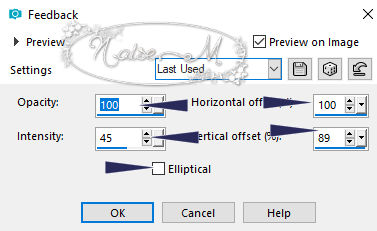
27_. Effects → Reflection Effects → Feedback, with the settings below.
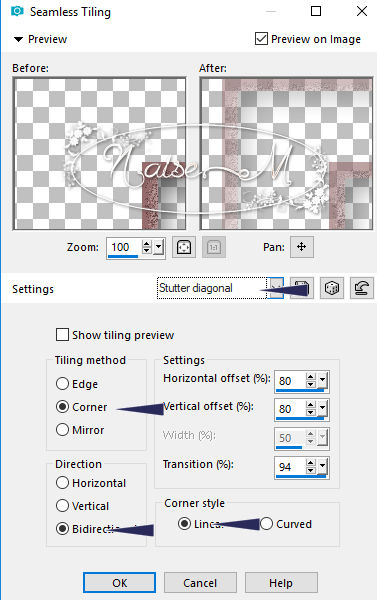
28_. Effects → Image Effects → Seamless Tiling.
29_. Click on the background layer, select the 59 border and apply the same texture, with the same settings.
30_. Selections → Select None.
31_. Apply your tube.
32_. Image → Add Borders → Symmetric checked: 9 px - color #634747.
33_. Image → Resize: 1000 px.
34_. Sign and save as JPG.
OUTRO MODELO
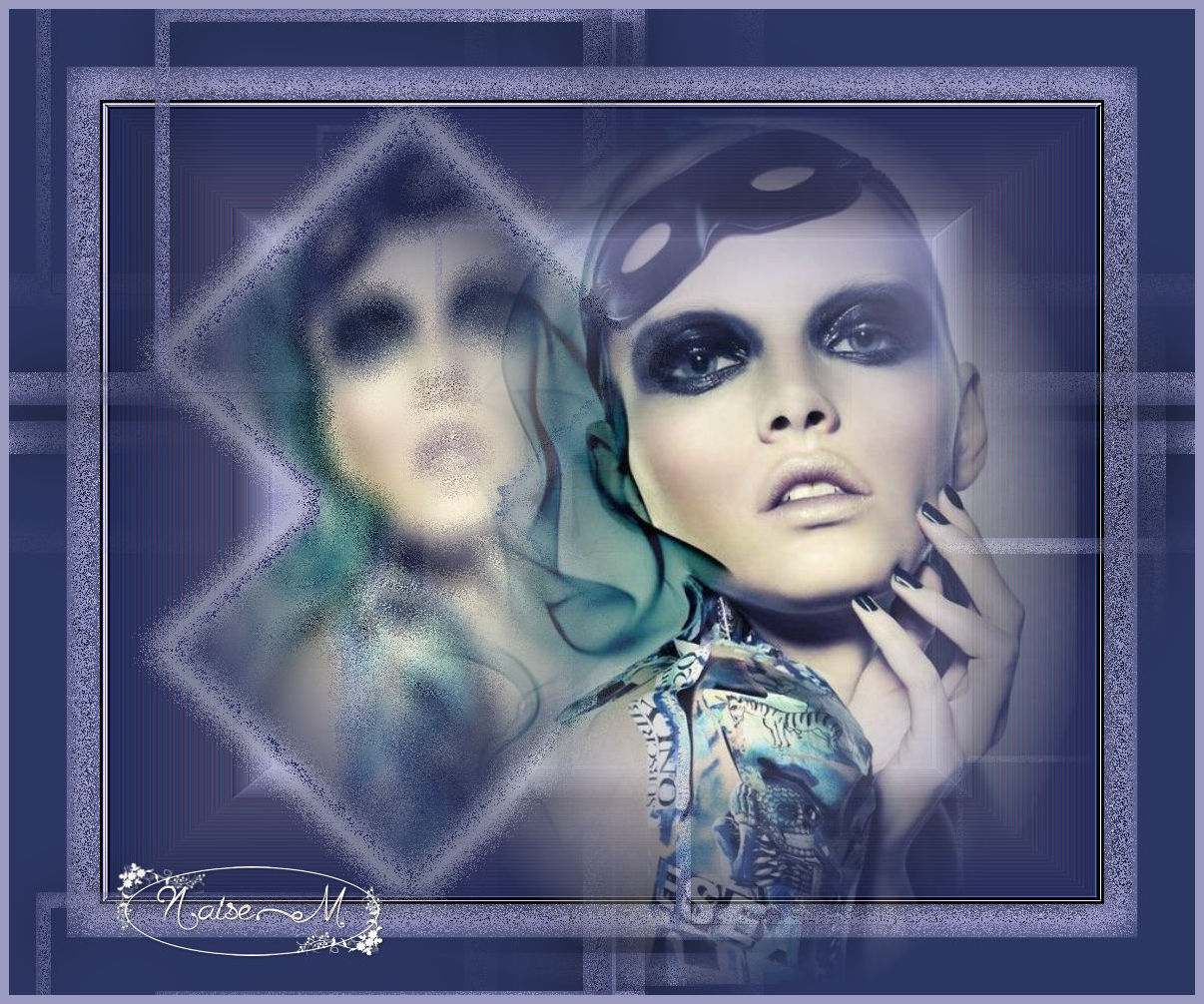
10/02/2018
|