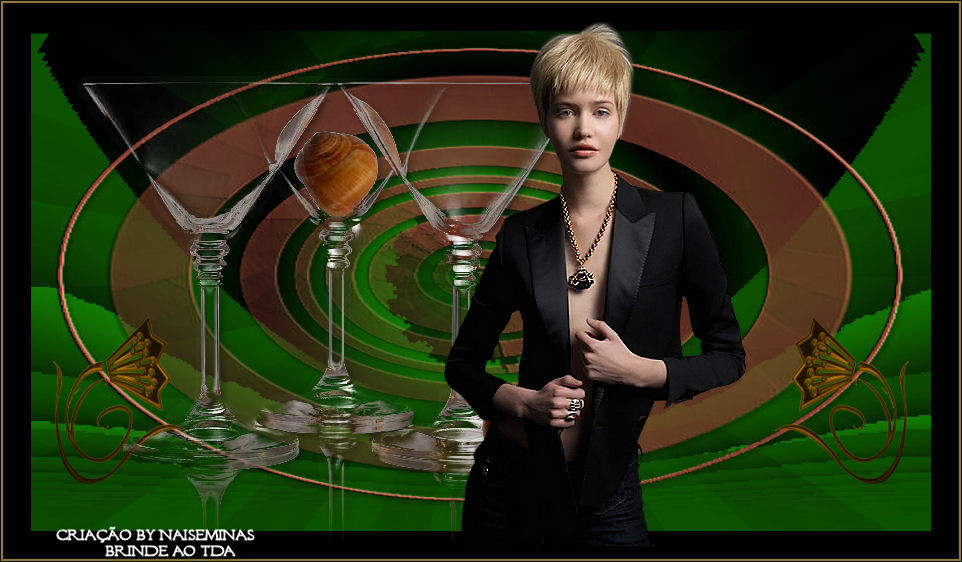
 |
Use the arrow to mark your line
Click with the mouse to move it
|
Walkthrough
1_. Open the tube → Edit → Copy and set it aside.
2_. Choose two colors that match your work and create a gradient with these settings:
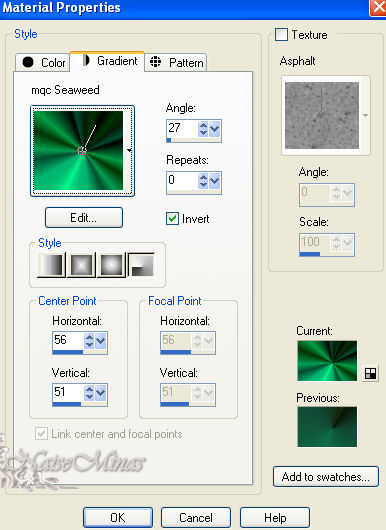
3_. Open a new transparent image of 900 x 500 px and fill it with the gradient.
4_. Effects → User Defined Filter → Emboss 3.
5_. Effects → Plugins → Krusty's FX vol. II 2.0 → Generator A-2 (Eye), with these settings:
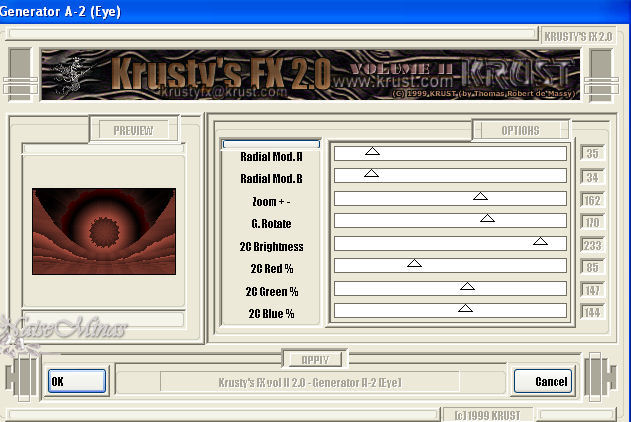
6_. Adjust → Hue and Saturation → Colorize: set the color you want.
7_. Layers → New Raster Layer.
8_. Fill with a color of your choice.
9_. Apply the mask: Layers → Load/Save Mask → Load Mask From Disk, with Invert checked → Load.
Layers → Delete.
10_. Effects → 3D Effects → Drop Shadow: V 3 / H 3 / Opacity 50 / Blur 100 - black color.
11_. Repeat step 4.
12_. Image → Add Borders, with these settings:
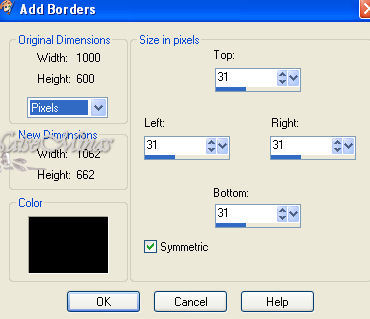
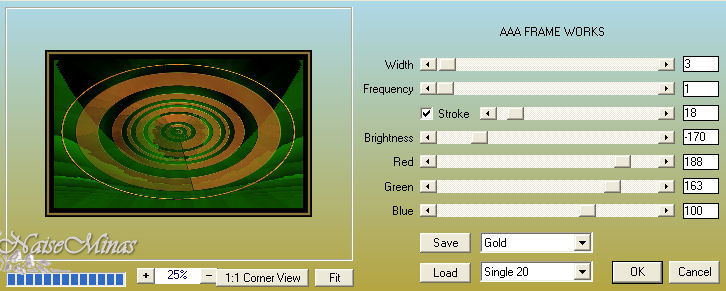
13_. Effects → Plugins → AAA Frames → Frame Works, with these settings. Where it says Gold, choose the color you want.
14_. Apply the tubes as you like.
15_. Sign your work.
16_. Save as JPG.
** Tutorial, art and formatting created by NaiseMinas**
On 26/02/2012
Accents
Tube: womanbyClo288C
Mask 65MaskkelsWWA
and 194-glasses-LB Tubes