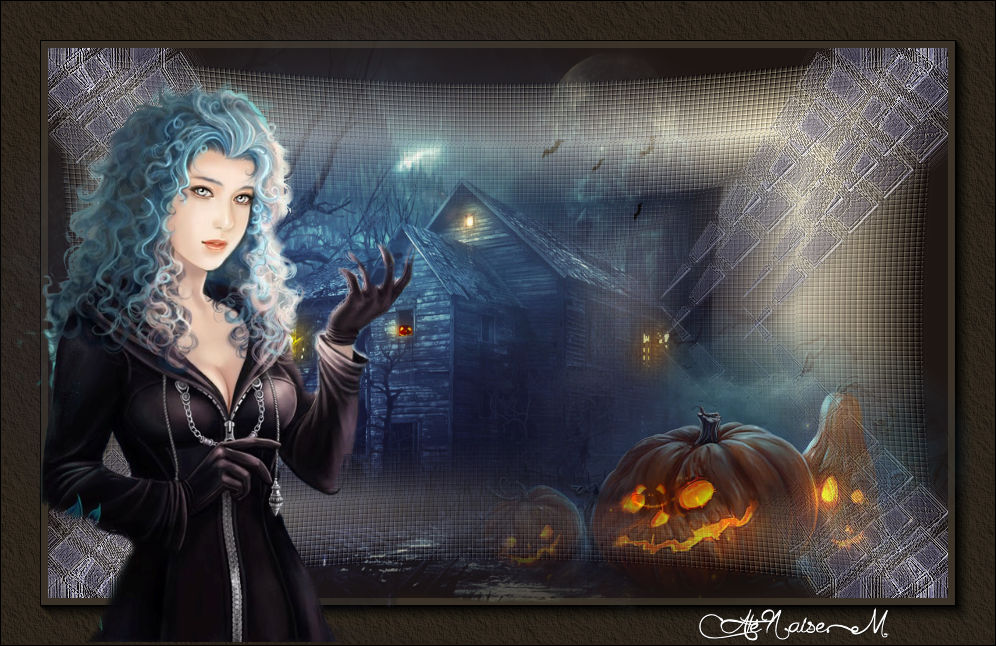
Made with the NEW Corel PSP 2018
can be done in any other version
Materials
Tube_naisem
Misteds_naisem
Deco_naisem

**************
Plug_in
(AFS IMPORT) Unlimited 2.0
AAA Foto Frames
AAA Texture Frames
*****************
 |
Use the arrow to mark your line
Click with the mouse to move it
|
Walkthrough
1_. Choose two colors from your tube and create a Rectangular gradient: Angle 0 / Repeats 3.
Foreground #1e1613
Background #f7e9c6
2_. Open a new transparent image of 900 x 550 px and fill it with this gradient.
3_. Effects → Plugins → Filters Unlimited 2.0 → [AFS IMPORT] → TREMORSC: 222 / 13 / 13.
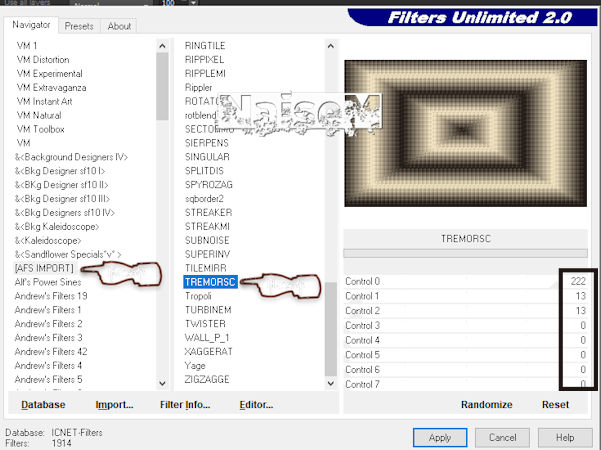
4_. Effects → Distortion Effects → Lens Distortion, with the settings below.
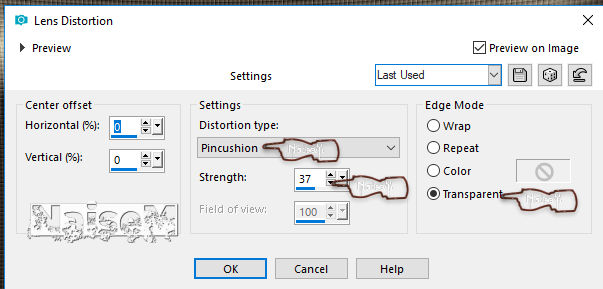
5_. Layers → New Raster Layer.
Fill with the Foreground color #1e1613.
6_. Effects → Distortion Effects → Lens Distortion, again.
7_. Image → Resize: 50%.
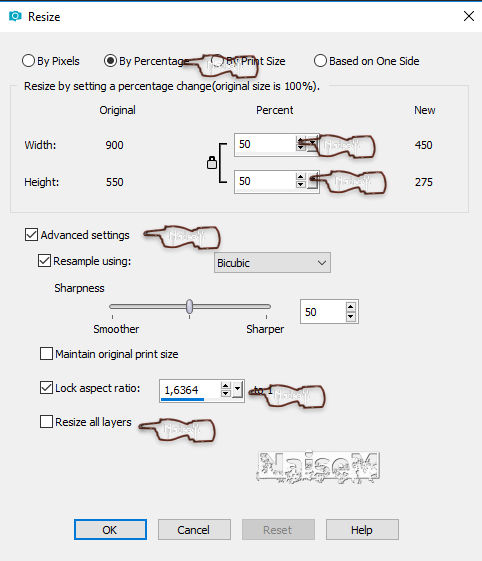
8_. Layers → Properties → Blend Mode: Soft Light.
9_. Layers → Merge → Merge Down.
10_. Layers → New Raster Layer.
Fill with the Foreground color #1e1613.
11_. Layers → Arrange → Move Down.
12_. Open deco_naisem-bruxasdealmas: Edit → Copy and apply it to your work.
13_. Layers → Merge → Merge Visible.
14_. Image → Add Borders → Symmetric checked: 46 px - color #3a3226.
15_. Effects → Plugins → AAA Frames → Foto Frame, with the settings below.
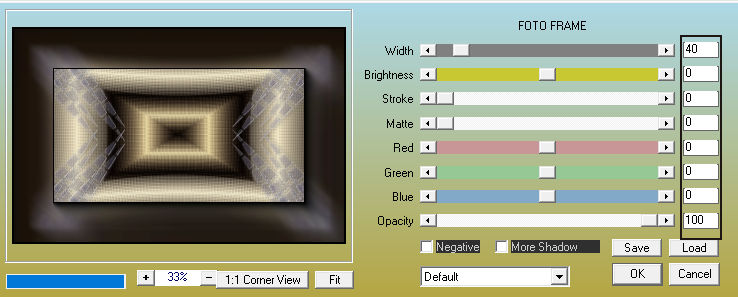
16_. Effects → Plugins → AAA Frames → Texture Frame, with the settings below.
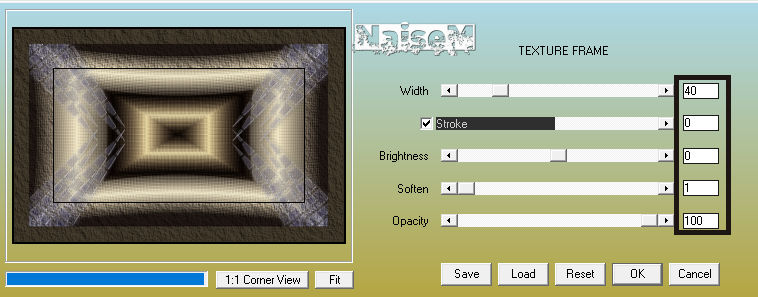
17_. Apply your misteds as you like.
18_. Apply your tube.
19_. Sign your work and save as JPG.
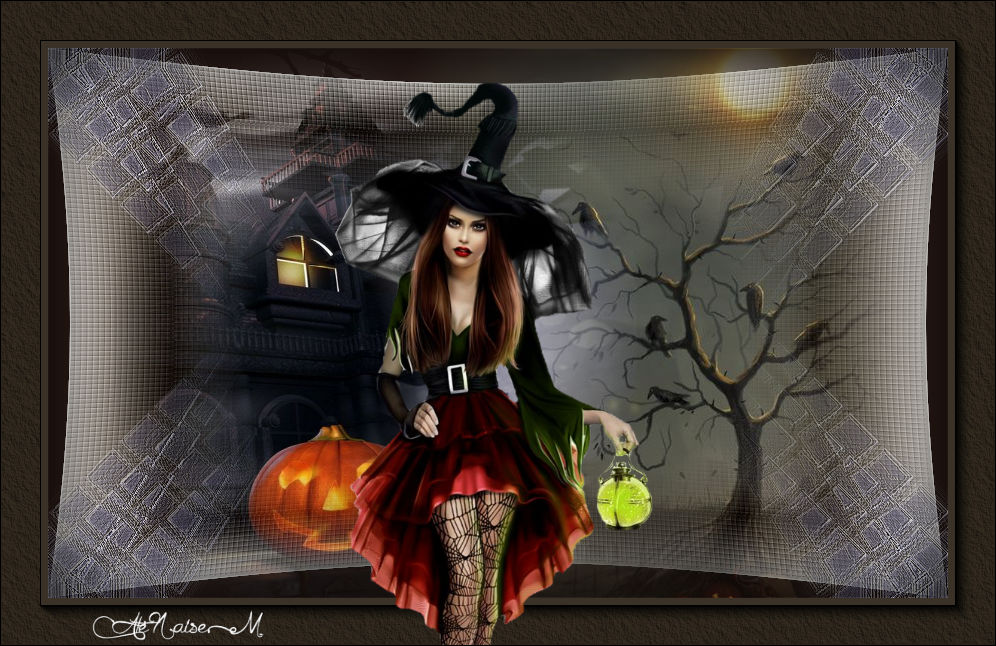
ANOTHER MODEL